


Antique Identifier Zophi
4.6974.00 Reviews
App Specs
- Version
- 1.8.1
- Updated On
- License
- Free
- Downloads
- 100,000+
- Developer
- 326 LAB - FZCO
- Categories
- Lifestyle
- Platform
- Android
Screenshots
 Analysis by AppCompare
Ever stumbled upon an old trinket in your attic and wondered if it might be worth a small fortune? Well, that's exactly where Antique Identifier Zophi comes in handy. As someone who loves dabbling in antiques (or more like pretending to know them), I decided to give this app a whirl. Let me take you through my experience with it.
Checking a Find Before Drawing a Conclusion
I find an image-based antique tool most useful at the very start of an investigation, when I have an object but no good clue where to begin. With a vase, for example, I would photograph the whole piece first, then take closer views of any mark, unusual decoration, or damaged area. Comparing those separate views is more useful than expecting one picture to settle every question. It also gives me a clearer basis for asking a knowledgeable dealer or collector for a second opinion.
That distinction matters because an identification and a valuation are not the same thing as an authenticated appraisal. A photograph can suggest what an item resembles, but it cannot reliably show its weight, construction, condition beneath the surface, or whether a repair has affected its value. I would treat any estimate as an initial clue, not a price to use in a sale, insurance decision, or family disagreement. For a purchase or a valuable inheritance, an in-person assessment remains the safer next step.
Readability and Finding Your Way Around
The appeal of an app like this is that it offers a direct route from curiosity to a possible explanation: take a picture, review the result, and decide what to investigate next. That is less intimidating than starting with specialist books full of unfamiliar terminology or searching the web with a vague description such as “old blue vase.” I appreciate that kind of low-friction starting point, especially when I am new to a collecting area.
Still, a simple camera-led process is only helpful if the result is easy to interpret. I would read the description as a set of clues rather than a verdict, paying attention to whether the suggested period, maker, or material actually fits what I can see. If an explanation sounds confident but does not account for a visible mark or feature, I would take another photo or compare it with a dependable reference instead of forcing the object to match.
Motor and Sensory Considerations
Taking a useful picture can be the part that requires the most patience. A small object may need steady framing, enough light, and a close view that does not blur its details. If holding a phone still is difficult, placing the object on a stable surface and resting the phone or hands nearby may help; I would avoid moving a fragile antique just to get a more dramatic angle. For tiny lettering, several calm, close photographs are more practical than repeatedly trying to capture everything in one shot.
Lighting also affects what the image communicates. Glare can hide the very surface detail that might distinguish a painted mark from a reflection, while deep shadow can make color and shape hard to judge. I would use soft, even light and check the image before relying on its result. This is a sensible workflow for anyone who has difficulty with small visual details, but it does not remove the need to inspect the object itself or to seek help when the image is unclear.
Worth Reading Before You Choose

Flipboard Shows What News Apps Must Do Beyond the Feed

Switching to Android Auto Means Rethinking Your Driving Routine

Google Calendar Makes a Crowded Week Easier to Manage

Ludo King Makes the Most of the Minutes Between Plans

Baby Panda World Brings Quick Play to Modern Phones, but Its Game Library Feels Busy

ESPN’s Live Game View Makes Following Close Games Easier
Getting to Know Antique Identifier Zophi
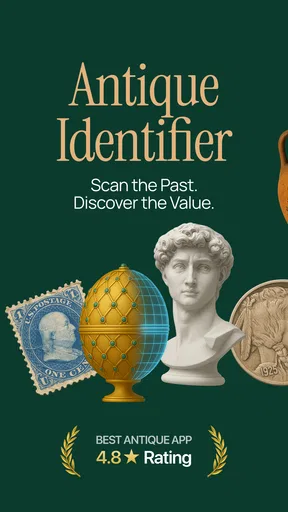
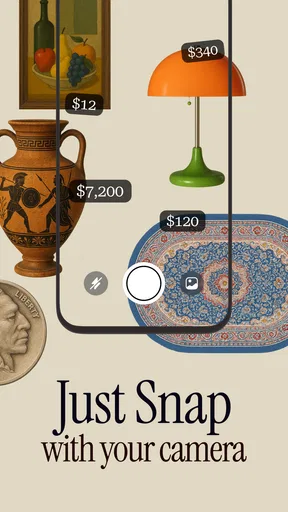
I downloaded Antique Identifier Zophi on a whim, mostly because I had a dusty old vase from my grandma sitting in my living room. The app's interface is pretty straightforward, which is a blessing if you’re not exactly tech-savvy. You basically point your phone's camera at the item in question, and the app does its magic.
Scanning and Identifying
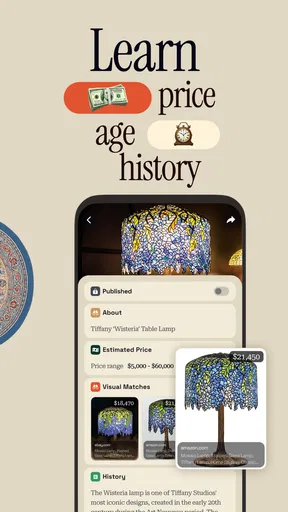
The core feature of the app, of course, is its ability to identify antiques with just a photo. I decided to test it out on a couple of items around the house. First up was the aforementioned vase. The app quickly scanned it and provided a detailed description, including its origin and estimated value. Not bad for a free afternoon activity!
Next, I tried it on an old pocket watch I found at a flea market. I was impressed by the app's accuracy in identifying the manufacturer and even some historical context about the specific model. It's like having a little antique expert in your pocket.
Features That Stand Out
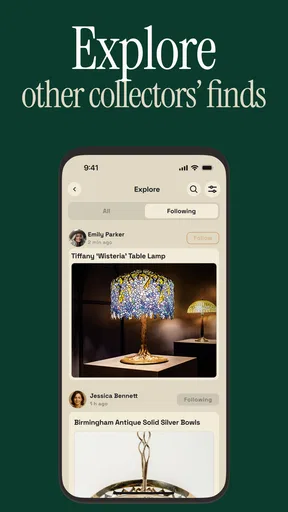
One of the things I loved about this app is its community feature. Users can post photos of their findings, and other enthusiasts or experts can weigh in with opinions or further information. It's like a mini social network for antique lovers. I joined a discussion about vintage jewelry, and it was fascinating to read other users' insights.
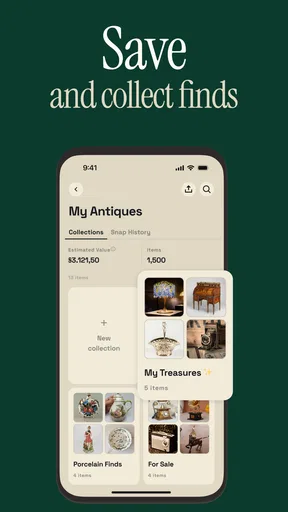
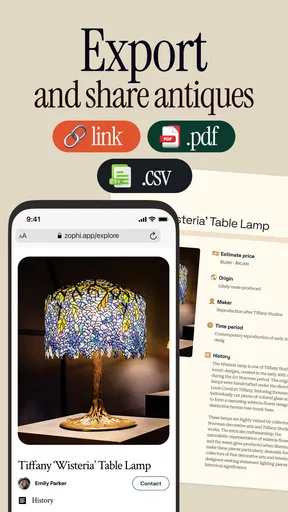
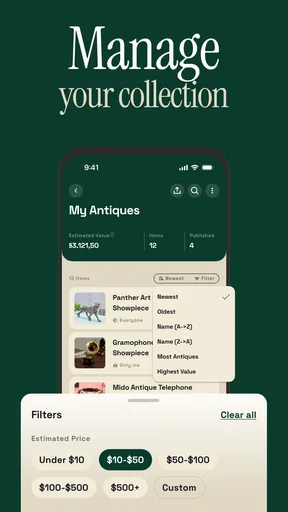
Another great feature is the app's database. It's extensive and continually growing, thanks to user contributions. So, if the app doesn't recognize an item right away, chances are it will soon. Plus, you can save your scans for future reference, which is handy if you're building a collection.
Making a Fair Visit More Useful
At an antique fair, I would use a scan to prepare better questions, not to challenge a seller with a single automated result. For instance, if a pocket watch appears to match a certain maker, I would ask the vendor about its markings, service history, and whether any parts have been replaced. Those details can change both authenticity and value, and a photo alone cannot establish them. This approach makes the app a conversation aid rather than a substitute for careful buying.
There is also a practical trade-off in a busy market: quick results are convenient, but reflections, crowded backgrounds, and limited space can make photographs less useful. I would step aside, photograph the object against a simple background when the seller allows it, and keep track of which result belongs to which item. If the seller is waiting or the object is delicate, I would skip the scan and enjoy looking at it instead.
Using the App in Real Life
One weekend, I took a trip to an antique fair and decided to test the app in a real-world setting. It was fun whipping out my phone and learning more about unique pieces on the spot. The app provided a great conversation starter with vendors, and I felt a bit like an expert myself by the end of the day.
While the app isn’t perfect (sometimes it needs a second try on more obscure items), it’s pretty reliable for a wide range of antiques. It even encouraged me to explore local antique stores more often, just to see what treasures I might unearth.
Who Will Get the Most From It
I think the best fit is someone who regularly comes across unfamiliar objects and enjoys learning enough to investigate further: a casual collector, a family sorting inherited belongings, or a curious shopper browsing a flea market. It can also help a beginner learn which details to notice, such as a maker’s mark or a distinctive shape, rather than treating every old-looking object as automatically valuable.
It is less suitable if you need a legally dependable valuation, are making a high-stakes purchase, or want a definitive authentication without handling the object. A specialist appraiser or experienced dealer is a better choice in those situations. And if you mainly want to research an object with known markings, a focused reference book or a search using the exact inscription may be faster than starting with a photo-identification tool.
Price, Version, and a Sensible First Try
The app is free to download, while optional in-app purchases range from $3.99 to $39.99 per item. I would begin by testing it on ordinary objects I already own before deciding whether any paid option is worthwhile. That keeps expectations grounded: first see whether the image-based guidance suits the kinds of antiques you encounter, then consider spending only if the app’s extra value is clear to you.
It is a lifestyle app from 326 LAB - FZCO, rated Teen, and its current version is 1.7.1, with iOS 11 as the minimum operating system. It has a 4.6 average from around 7.6 thousand ratings, with more than 100 thousand installs. Those figures suggest plenty of interest, but they do not guarantee that every identification will fit a particular object, so I would still check any important claim independently.
Situational Access and Remaining Barriers
For a relaxed afternoon at home, I can take my time finding a clear angle and comparing the app’s suggestions with the object. In a dim room, outdoors in harsh sunlight, or while standing in a crowded aisle, the same task becomes less comfortable. A person who has trouble focusing a camera, distinguishing subtle colors, or reading small text may need another person’s help with the photo or interpretation. I would not assume that a quick scan works equally well in every setting.
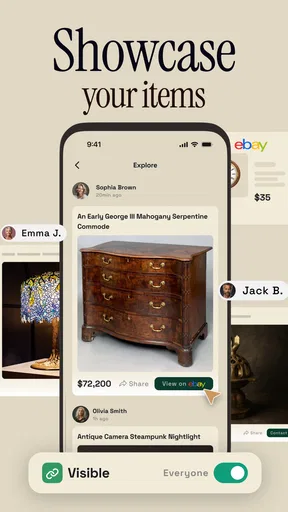
There is a further privacy and social consideration with community posting: a photograph can reveal more than the antique if the background includes a home, paperwork, or personal details. I would crop or rearrange the scene before sharing an image and avoid including people or identifying surroundings. For a private family inventory, saving a scan for personal reference is a different choice from posting it for public comment, so I would decide deliberately which kind of use I want.
For a useful result, I would photograph one item at a time, include an overall view, and then capture a separate close-up of identifying marks. I would keep a written note of any dimensions or condition issues that a photo cannot show. These small steps make it easier to compare the result with other sources later, and they prevent a promising but uncertain suggestion from becoming the only record of an object’s history.
Final Thoughts
So, is Antique Identifier Zophi worth downloading? Absolutely. Whether you're a seasoned collector or just curious about that old trinket in your basement, this app is a fantastic tool to have on hand. It's user-friendly, informative, and makes the world of antiques accessible to everyone.
Overall, Antique Identifier Zophi is like having a knowledgeable companion with you at all times. Just remember, while the app is a great starting point, nothing beats the thrill of a real-life antique hunt!
My recommendation is strongest for curious beginners who want a first lead and collectors who enjoy combining digital hints with hands-on research. The community aspect can add useful perspectives, while the camera-based approach is more convenient than carrying reference books or searching broadly online. But image recognition has limits, and a confident-sounding estimate should not replace an expert’s inspection when money or authenticity is at stake.
For different abilities and contexts, I see the app as a helpful option rather than a universally effortless one. Good lighting, steady framing, and readable results matter; crowded or visually demanding situations can raise the effort. If those conditions are manageable and you treat each scan as a starting point, it can make antique hunting more approachable. If they are not, asking someone to help with a photo or choosing a specialist in person may be the kinder, more reliable route.
Pros
- Easy-to-use interface for quick identification.
- Supports multiple languages for global users.
- Offline mode available for remote locations.
- Regular updates with new antique categories.
- Detailed descriptions enhance learning.
Cons
- Limited free features; subscription required.
- Occasional misidentifications reported.
- Requires strong internet for best performance.
- High battery consumption during extensive use.
- Some categories lack detailed information.
FAQs for Antique Identifier Zophi
What features does Antique Identifier Zophi offer?
Antique Identifier Zophi provides a comprehensive set of features including image recognition to identify antiques, a vast database for reference, and detailed descriptions of items. Users can also access historical insights and estimated valuations. The app supports both online and offline modes, ensuring functionality wherever you are.
How accurate is the antique identification process?
The accuracy of Antique Identifier Zophi depends on the quality of the uploaded image and the uniqueness of the item. The app employs advanced AI algorithms to match images with its extensive database, offering high accuracy for most well-documented antiques. However, rare or poorly documented items may require professional appraisal.
Is Antique Identifier Zophi free to use?
Antique Identifier Zophi offers a free version with basic features, but for a more comprehensive experience, including access to a larger database and detailed valuations, users can opt for the premium version through a subscription. The app occasionally provides free trials for new users to explore premium features.
Does the app require an internet connection to function?
While Antique Identifier Zophi can operate offline for basic identification, an internet connection is needed to access the full database and receive real-time updates. Offline mode is useful for quick checks, but for a more thorough analysis and updated information, online access is recommended.
Can users contribute to the app’s database?
Yes, Antique Identifier Zophi encourages users to contribute by uploading images and details of antiques not yet covered. This feature allows the database to grow and improve over time, enhancing the app’s accuracy and usefulness. Contributions are reviewed by experts before being added to ensure quality and reliability.


